Work management
- Projects
- Tasks
- Meetings
- Chat
- Drive
- Sheets
Tork connects the daily workflows companies use to serve customers, coordinate teams, manage employees, process payroll and resolve issues — without forcing work across disconnected systems.
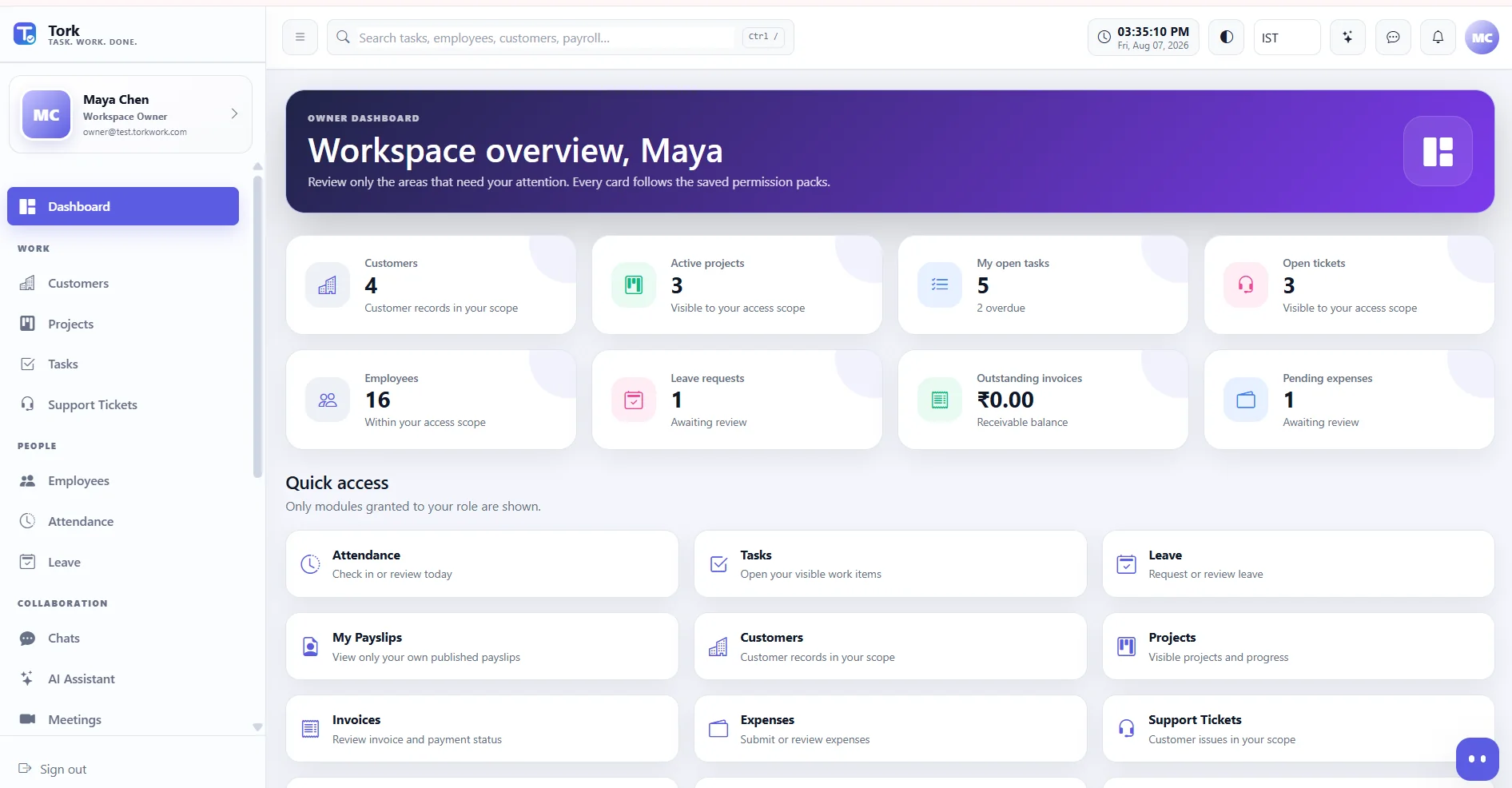
Capabilities are grouped the way a company is actually organised — work management, people and HR, finance and payroll, AI and support — with permissions deciding what each person actually sees.
Capability availability varies by plan — the pricing page shows exactly what each plan includes, loaded live from Tork Control.
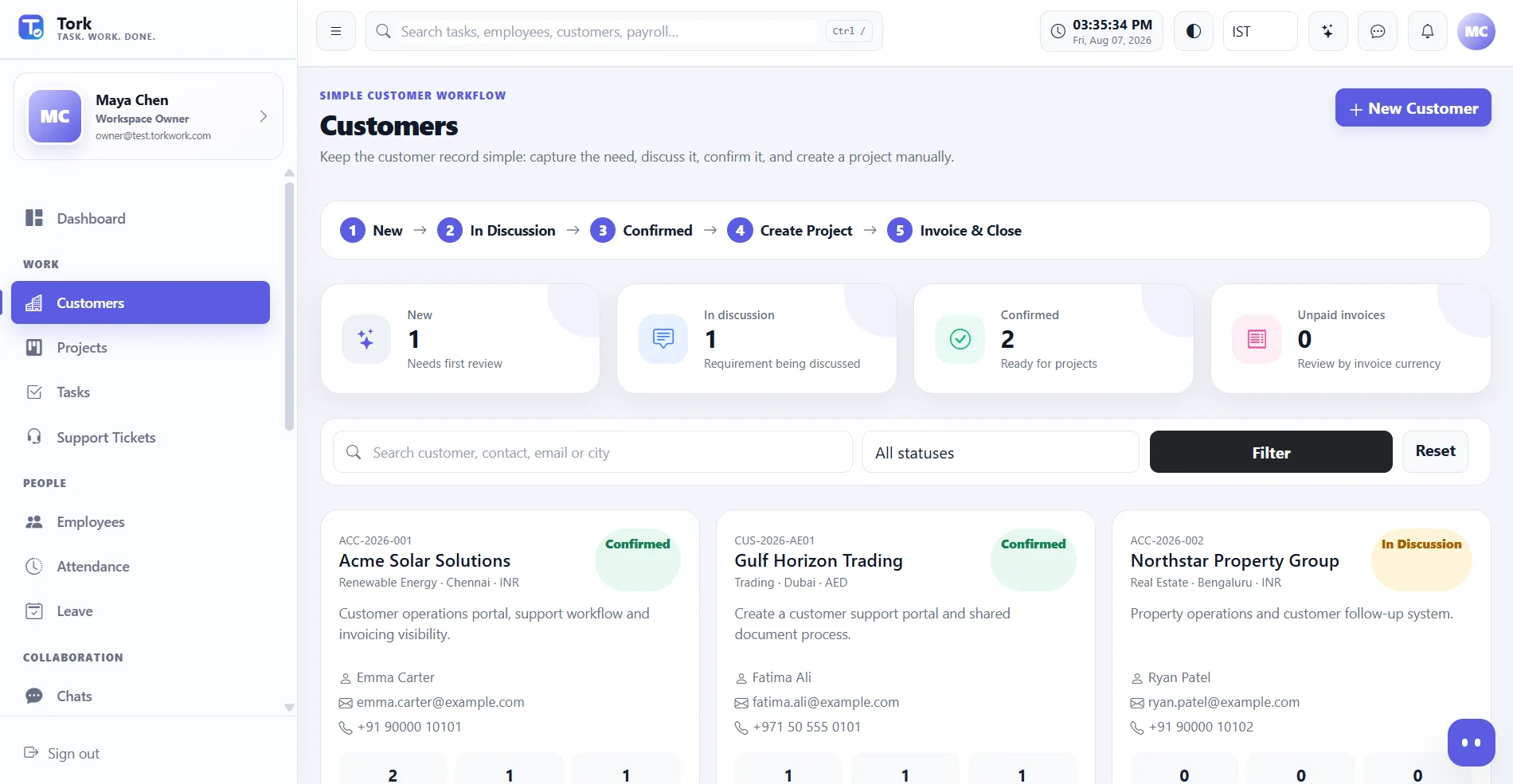
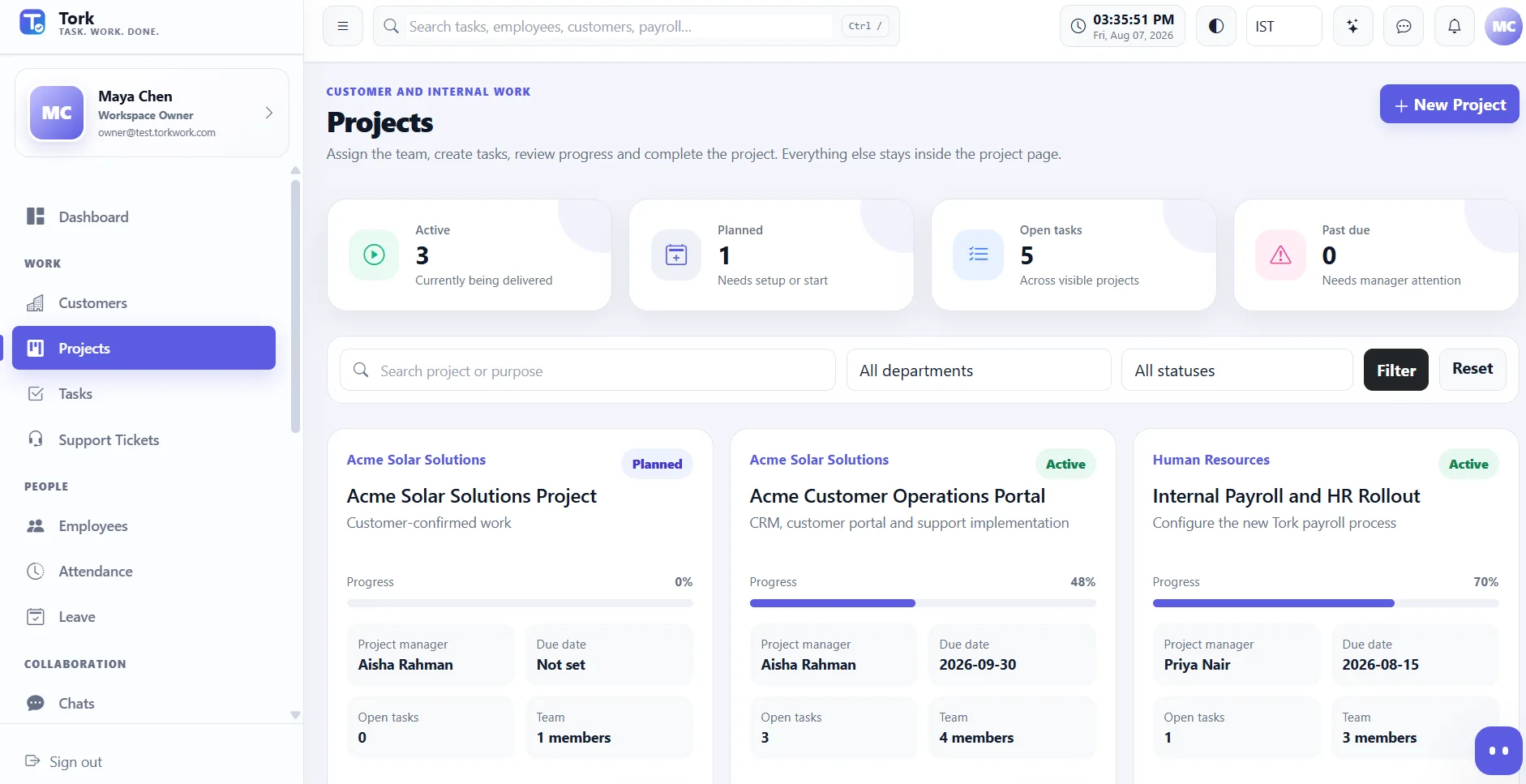
Keep customer information simple, confirm the work, create the project, assign tasks, track delivery and invoice from the same operational context.
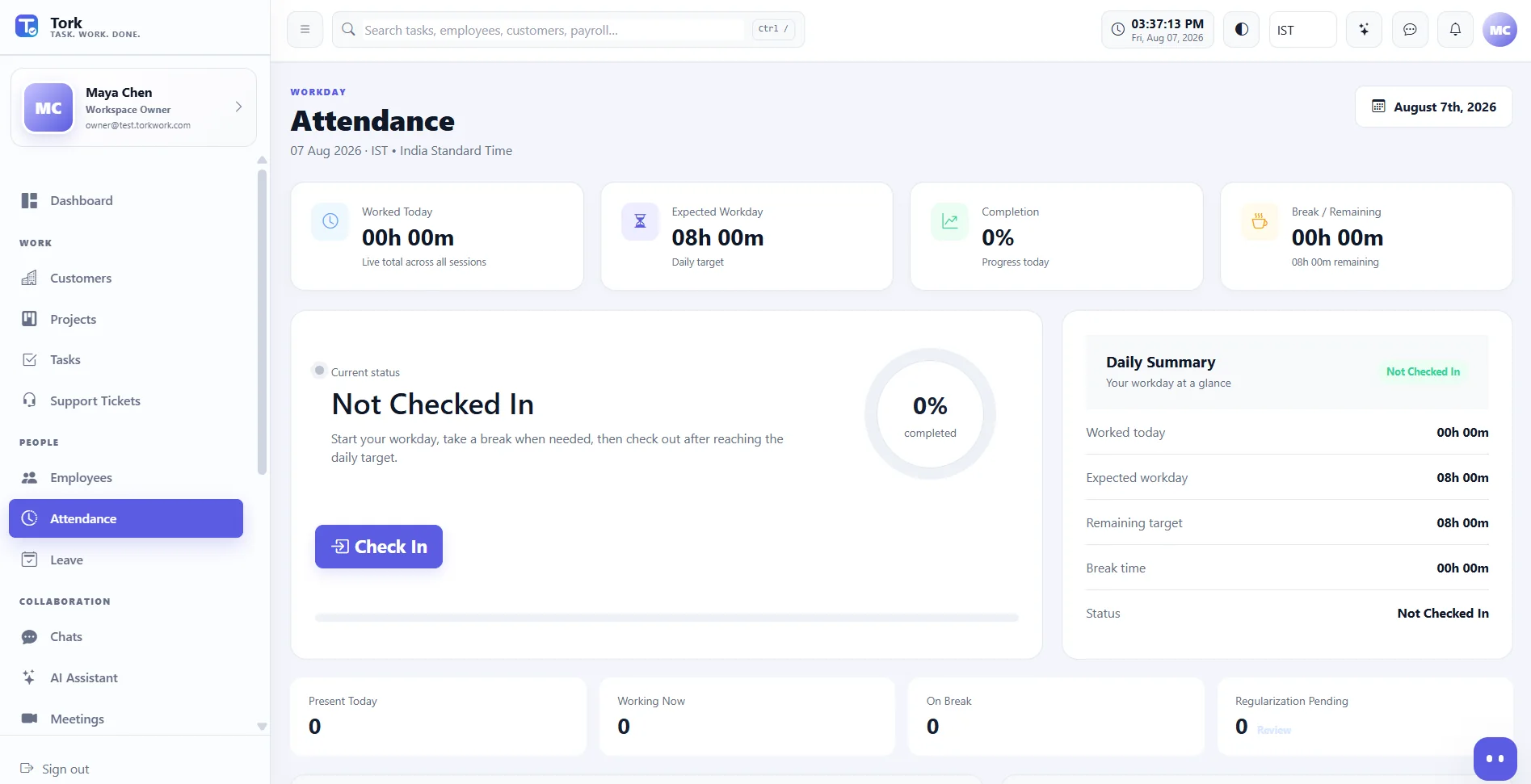
Know who worked, where they worked, leave status and what assigned work moved forward.
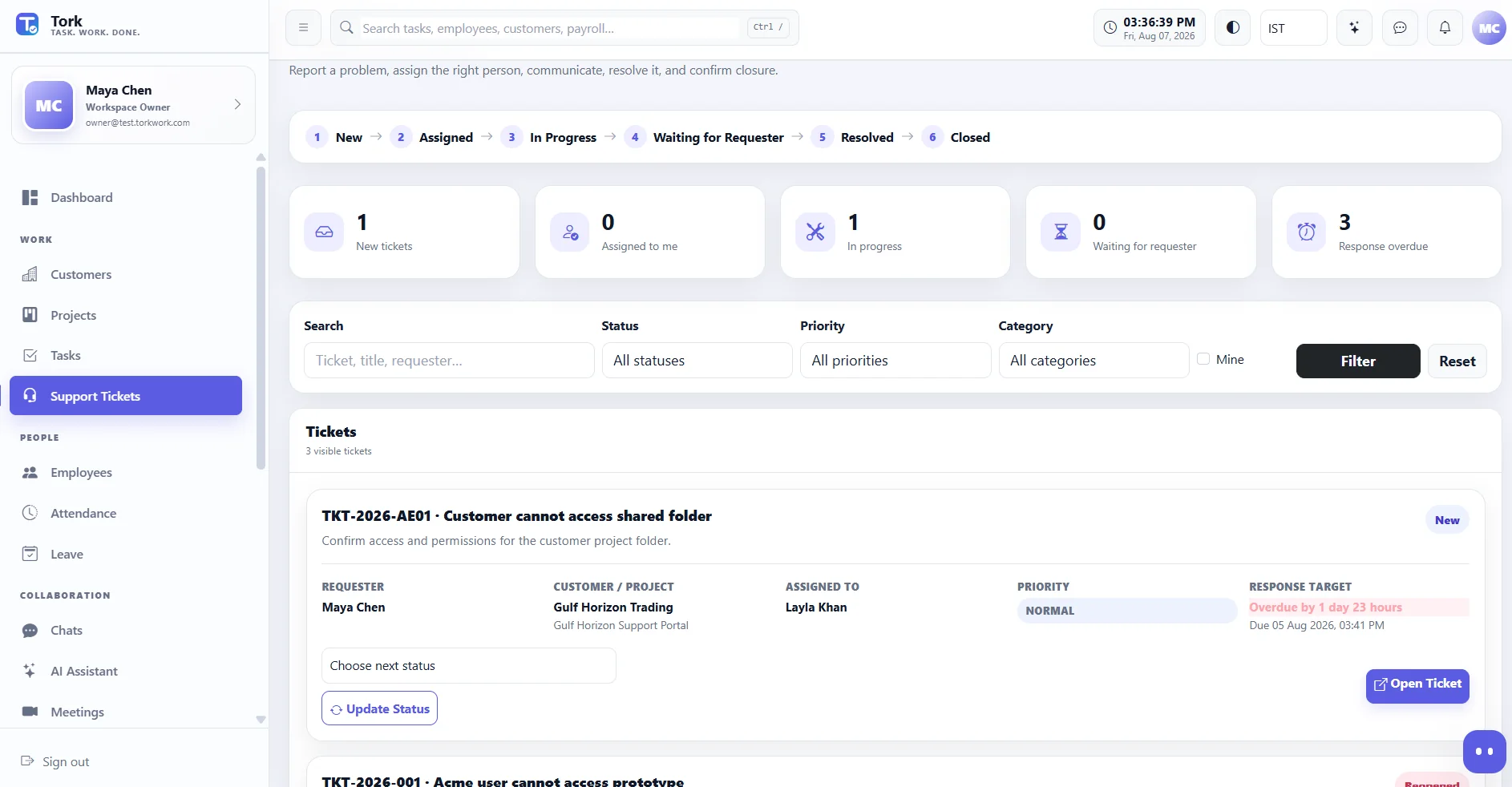
Create, assign, work, wait for requester, resolve, confirm, close and reopen - with public replies, internal notes and SLA context.
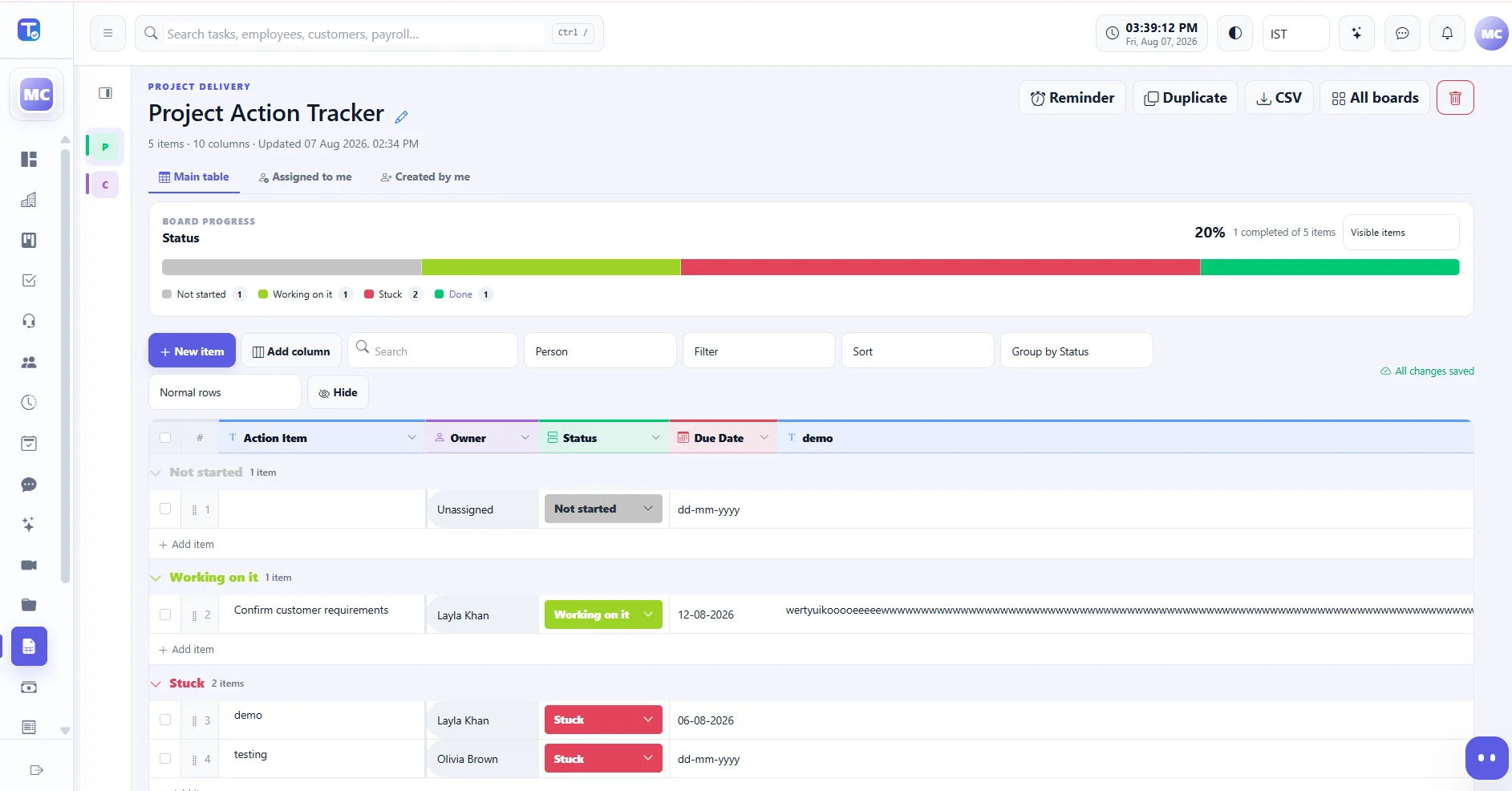
People, status, dates, long text, grouped views, progress, custom labels and Excel-style column resizing.
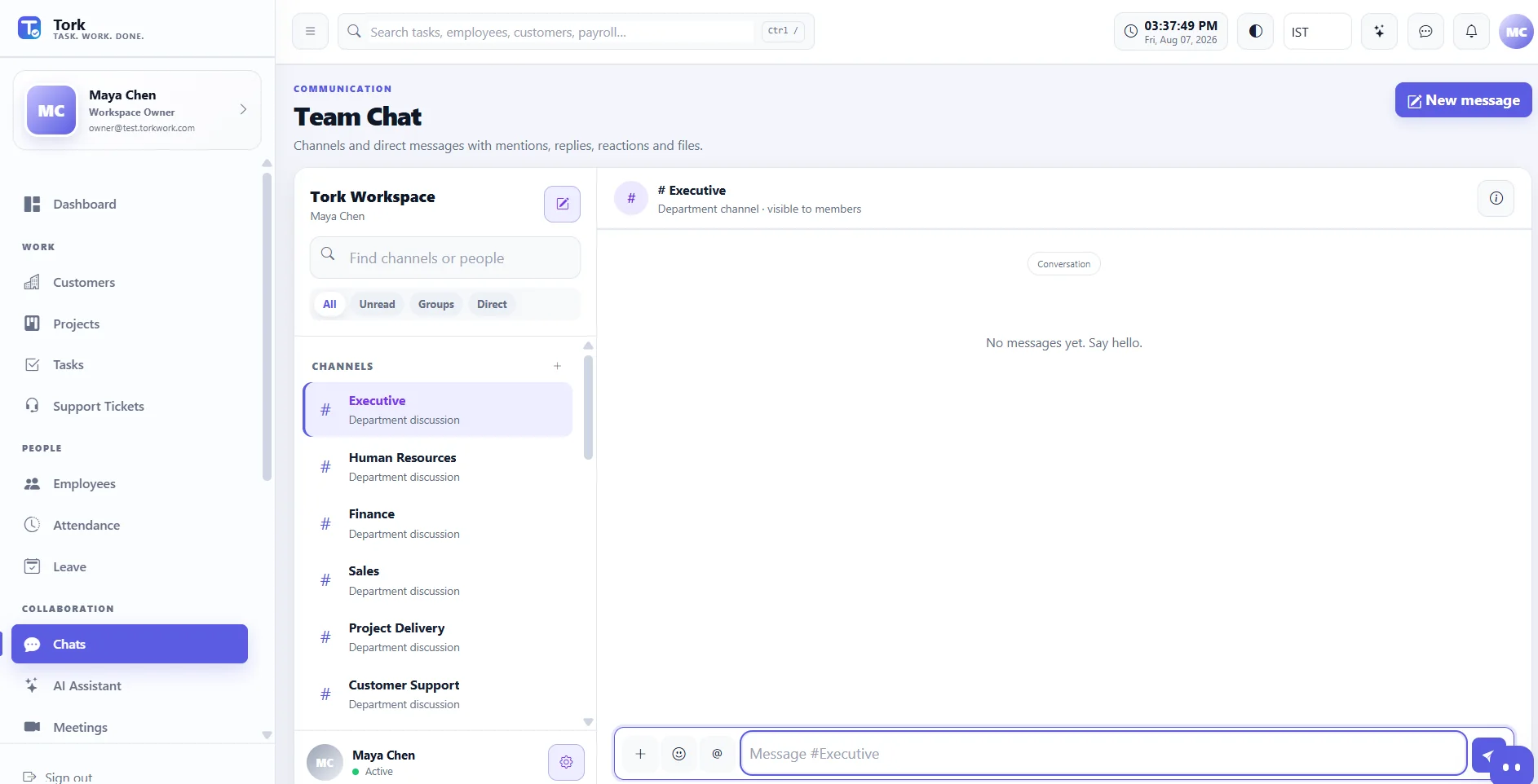
Chats, meetings, files and optional permission-aware AI assistance help people move from conversation to action without changing systems.
“Show my priorities, blockers and what needs attention next.”
Every operating company runs the same three loops. Tork connects them inside one workspace instead of spreading them across separate systems.
Customer work moves into execution and commercial follow-through on one record trail. Customer information stays light; delivery begins when the work is confirmed, and invoicing sits in the same operational context as the work that earned it.
Employee information, worked time and leave connect directly to the payroll period, so the run reads the same records the rest of the company works from — and the employee receives their own published payslip.
Every reported issue gets an owner, a status and a resolution path. Ownership is explicit rather than shared, and the conversation stays attached to the ticket through to closure.
First-party feedback from a Tork customer using the product for its actual day-to-day business.
A U.S.-based Tork customer whose leadership and management operate across the United States, the UAE and India, running customer work, projects, employees and daily operations in one workspace.
“Tork gives us one organized place to manage the work happening across our business. I especially value how the different parts of the company can stay connected instead of relying on multiple disconnected tools.”
“Working with the company from the UAE, Tork helps me stay connected with tasks, projects, employees and day-to-day operations in one place. It gives our team a much clearer way to work together.”
These previews come from a Tork demo workspace. Public marketing should use demo/test records only - never production customer or employee data.
Confirm the work, open the project, assign the team and track the result without rebuilding the same information in another system.
Attendance answers who is working. Support gives every reported issue an owner, status and resolution path.
Team chat, meetings, files and optional AI support help people move from discussion to action inside the same workspace.
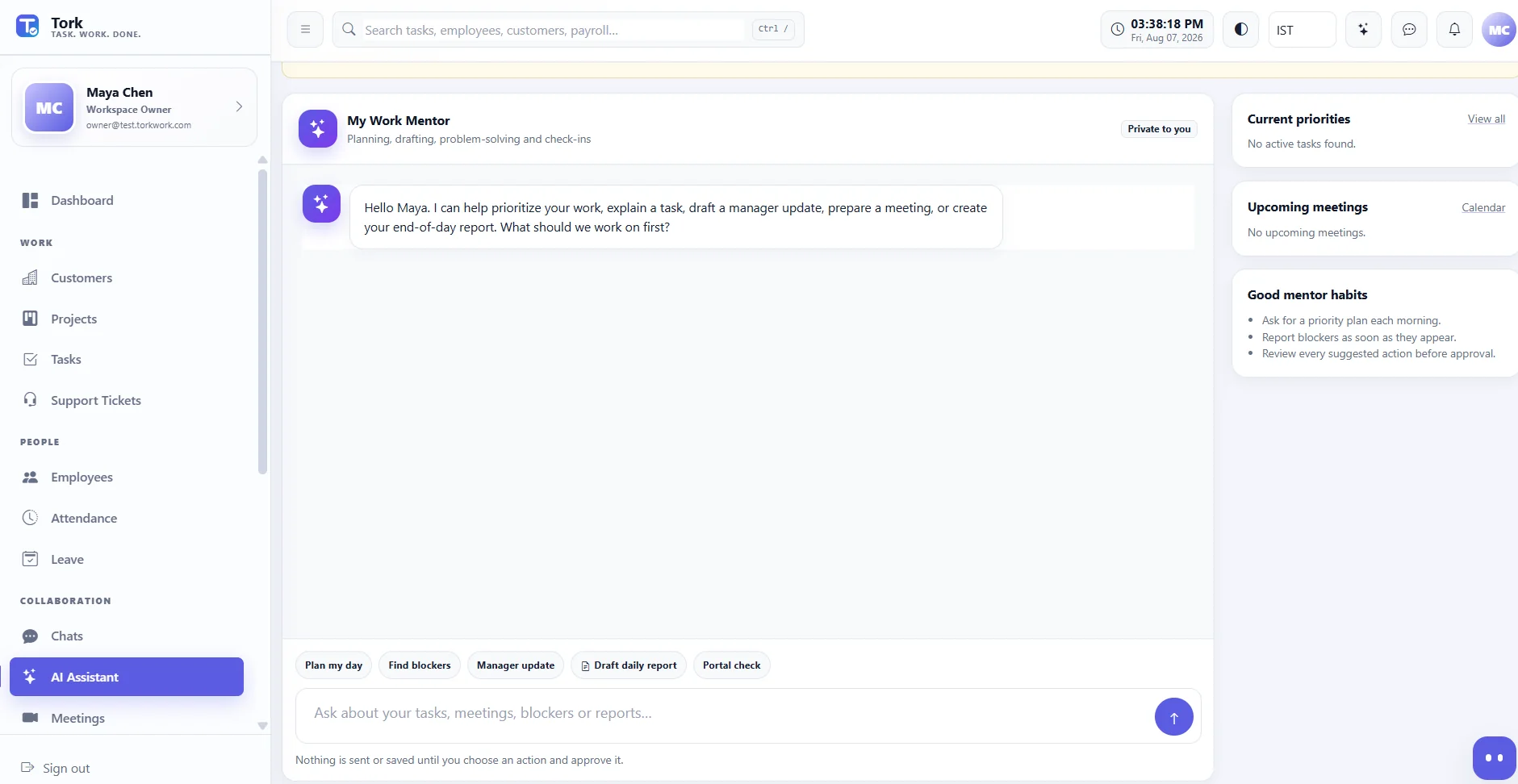
Every screen is connected by permissions, ownership and shared records. Choose a product area to preview.
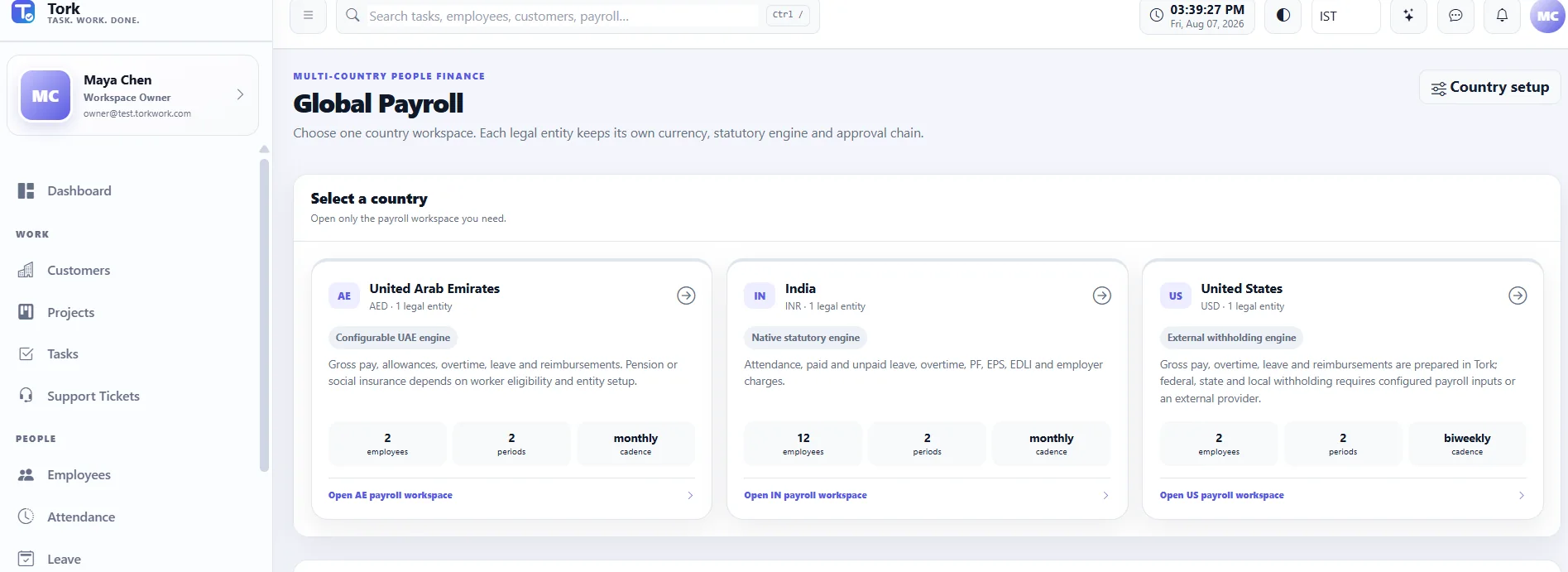
Workspace overviewPriorities, work and attention areas in one view.
01 / 06Payroll is a sequence with owners, not a single button. Salary structure, worked time, calculation, review, approval and the published payslip are connected steps inside the workspace your people data already lives in.
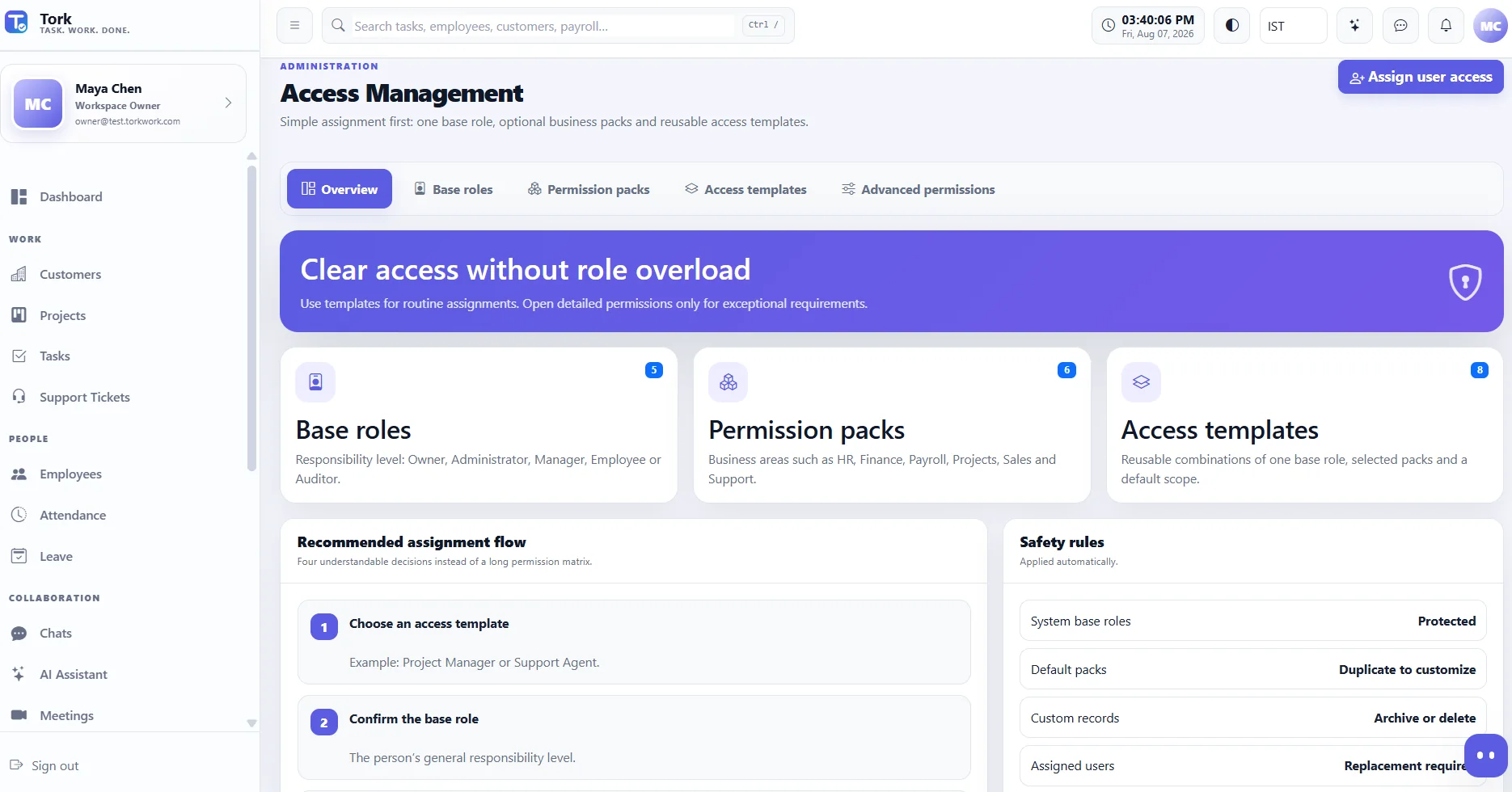
Every user gets one base role, optional permission packs and a scope. Reusable access templates make common assignments easy; detailed permissions stay available for exceptions.
Create department or personal boards with People, Status, Date, Text and other columns. Group by status, see completion progress, manage labels, wrap long text and resize columns by dragging the header edge.
The web application is responsive, so the same permission-aware workflows work on a desktop, a tablet or a phone browser. There is no separate Tork mobile app today, and this page does not promise one.
Separation is architectural, not just a setting. Each subscribing company gets its own workspace, entitlement and authorization are separate checks, and sensitive actions are designed to be auditable.
Private company workspacesEach subscribing company has its own workspace, users and configuration.
Separate tenant databasesTenant business data is designed around a separate database per subscribing company.
Permission-aware accessPlan entitlement and user authorization are two independent checks.
Protected file storageTenant files stay outside the public web root, reached through controlled interfaces.
Payroll privacyPayroll and payslip access requires the appropriate authenticated permissions.
Server-side secretsAPI keys and credentials stay server-side, never in browser JavaScript.
Secure platform communicationMarketing reaches Tork Control through protected server-side API flows, never tenant databases.
AuditabilitySensitive operational actions are designed to be reviewable after the fact.
We can tailor workflows for payroll, finance, customer operations, employee services, approvals, compliance, inventory, claims, property operations and other industry-specific processes.
Discuss your workflowPayment is collected at signup. New organizations on monthly billing receive 7 bonus days on the first paid term. Annual billing has no introductory bonus days. Feature availability can vary by plan and implementation.
Core work management for small teams.
Multi-department operations with finance, payroll, employee documents and integrations.
Complete company operations with finance, payroll, Tork AI, Meeting AI and advanced audit.
All Tork plans are billed in US dollars. Your bank converts to your local currency at its own rate.
Scope and timeline are defined after discovery — not promised before it.
Enterprise implementationPick the one that matches where you actually are.
Open the demo or speak with us about your actual workflow.
Ask a questionNo. Tork's Customer Management area keeps customer work intentionally simple — customer, discussion, confirmation, project, tasks and invoice. It is an operating workspace for delivering work, not a pipeline-first sales tool.
Every user has one base role, optional business permission packs and an access scope. Reusable access templates make routine assignment easy, while advanced permissions remain available for exceptions.
Tork resolves payroll workflows by employee country and legal entity. Statutory calculation methods vary by market and may use supported native rules, configured employer rules or approved payroll/withholding inputs depending on the country. Tork is not a universal global tax engine — confirm your markets during discovery.
Not by default. Employee access is designed around self-service, including their own published payslips. Company payroll control requires the appropriate payroll permissions.
Tork is available as a web application. It is responsive, so it works in a phone or tablet browser with the same permission and workflow model. There is no separate native Tork mobile app today, and no public release date is being announced.
Everything described on this site is available today unless it is explicitly labelled otherwise. Tork does not publish certifications it has not earned, uptime guarantees it has not committed to, or roadmap items presented as shipped features. The security overview lists plainly what Tork does not claim.
Yes. Tork can be extended for specialized finance, payroll, claims, compliance, support, inventory and other operational processes, subject to implementation scope.
Public screenshots should contain demo or test records only. Customer production data, employee payroll details, private chats, API credentials and internal infrastructure information should never be published on the marketing site.
See how Tork can connect your customers, delivery, people, support, collaboration and finance without adding another layer of complexity.